First Time Registration Applications
All doctors practising medicine in Ireland must be registered with the Medical Council and are required to renew their registration on an annual basis.
If you are a first time applicant with the Medical Council, we have outlined the steps of the Registration Process below and you can also find out more information in our Frequently Asked Questions section here.
Overview of the Registration Application process
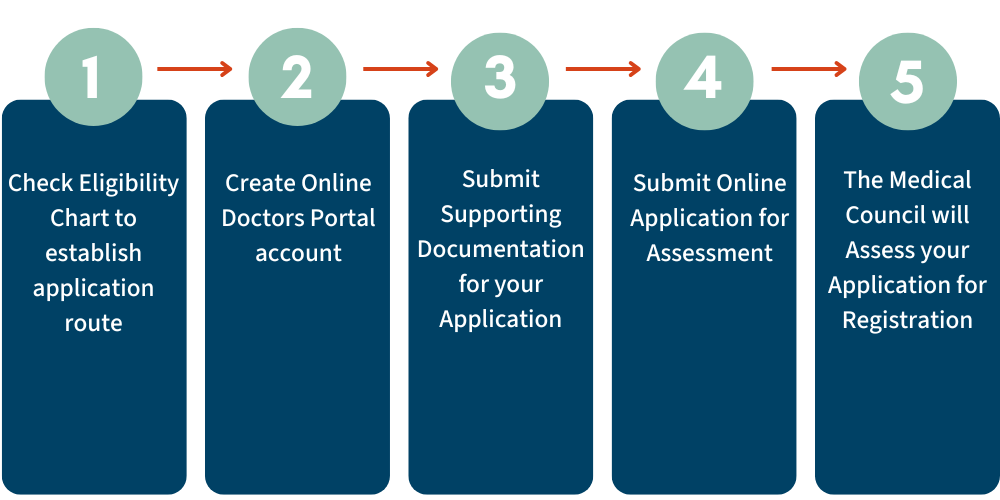
Step 1: Check Eligibility Chart
Doctors can register in one of six divisions of the Register, depending on the training they have completed, or are currently undertaking. The first step is to check the Eligibility Chart, which provides guidance on which division you should submit your application under. You can find more information on each of the divisions in the dropdown below.
Step 2: Create an Online Doctors Portal account
You will then need to set up an account for the Medical Council's Online Doctors Portal. You can find step-by-step instructions on how to do this in the dropdown below. For further help and support, you can watch our video tutorials here; Accessing the Doctors Portal.
Step 3: Submit Online Application for Assessment
You will need to log into your Online Doctors Portal account to begin your registration application. Step-by-step instructions on completing the application can be found in the dropdown below. In order to submit an application online, you will also need your passport number and a debit/credit card for payment of fees. You will also be required to provide details and dates of your medical education, training and professional experience. If you're unsure of your application pathway, or have any queries regarding your application, please email registration@mcirl.ie. You may also find our Frequently Asked Questions section useful.
Step 4: Submit Supporting Documentation for your Application
Once you have created your online account and submitted your online registration application, you will need to submit your supporting registration documentation. A full list of the required documentation for each of the routes can be found in our Required Documents section.
Step 5: The Medical Council will Assess your Application for Registration
You will receive an email acknowledging receipt of your application. Once your documents have been received your application will join the queue for assessment. You will be emailed directly by your assessor once your application is under assessment. You can also check your application status through your Online Doctors Portal account.
Please note the Medical Council’s Privacy Policy as it relates to you as an applicant or registered practitioner.